
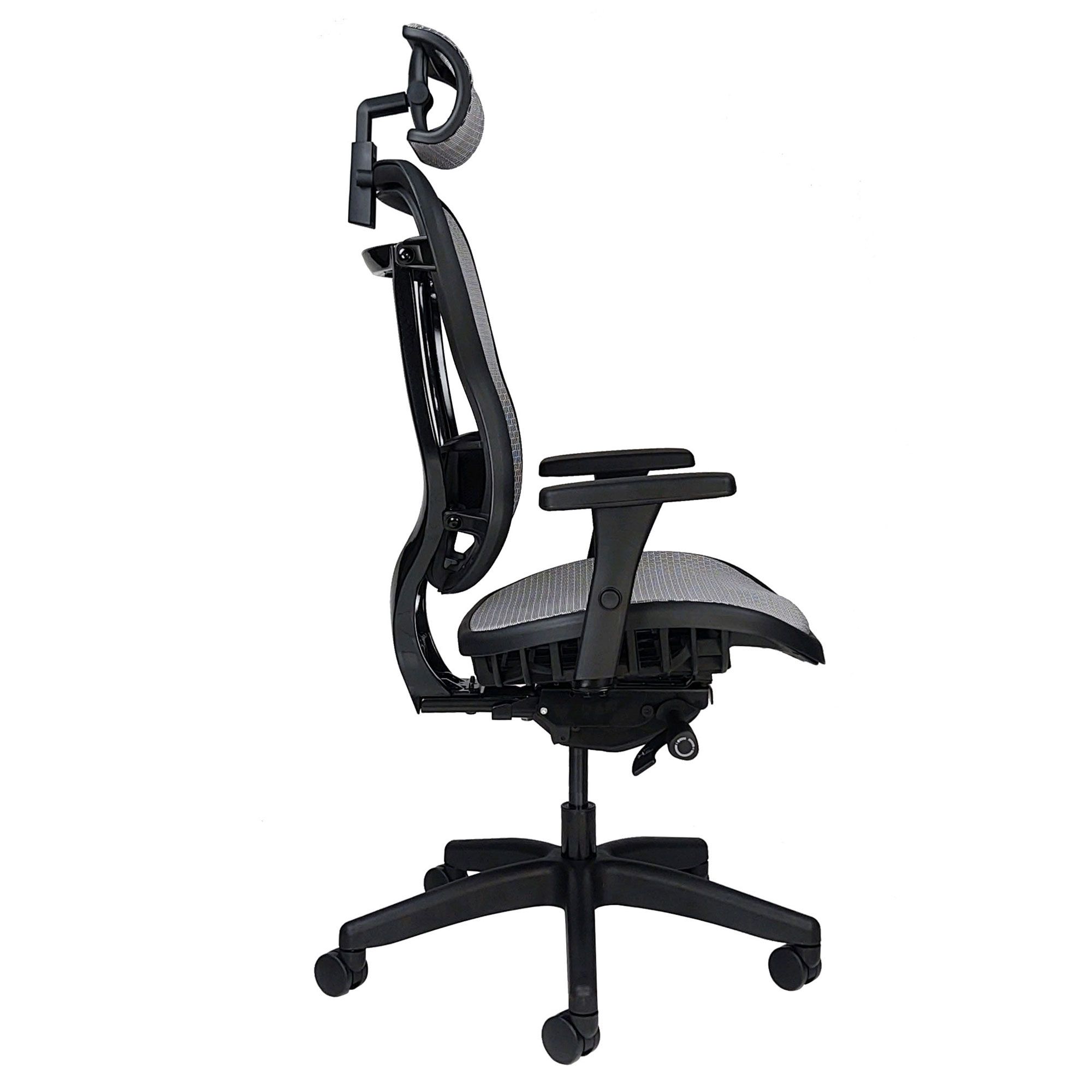
A modern office chair looks simple from above - a seat, a backrest, five wheels. Under the cushion, though, sits a small piece of engineering that quietly carries your weight, height-matches your desk, and tries to talk your spine out of slouching. Once you can name the parts and the levers, the chair stops being a mystery box and starts being a tool you can actually tune.
This guide breaks down how each subsystem works - the gas cylinder, the tilt mechanism, the lumbar shelf, the casters - and ends with a step-by-step procedure for setting one up to fit you.
The gas cylinder: how a chair goes up and down
The metal column between the seat and the five-star base is a sealed pneumatic cylinder filled with compressed nitrogen, not hydraulic oil. Inside, a piston divides the tube into two gas chambers, and a tiny valve at the top connects them. The lever under the seat presses that valve open.
- Going up: With weight off the seat, you pull the lever. The valve opens, the high-pressure gas under the piston expands, and the piston (carrying the seat plate) pushes upward.
- Going down: With weight on the seat, pulling the lever lets your body force gas back through the valve. The piston slides down.
- Locking in place: Release the lever and the valve closes. Because nitrogen at that pressure resists further compression far beyond body weight, the seat holds its height.
The soft hiss you hear is gas crossing the valve. When a chair starts to "sink" on its own over half an hour, the seal at the top of the cylinder has failed and gas is leaking past the piston - the cylinder itself is not repairable, but it is a standard replaceable part.
Tilt mechanisms: how the chair leans back
The tilt control plate is bolted between the cylinder and the seat. It is the most varied part of any chair, and most of the levers and knobs you see are attached to it.
- Knee-tilt (center-tilt): The whole seat-plus-back assembly pivots around a point near the front of the seat. Your feet stay planted when you recline. Common on mid-range task chairs.
- Synchro-tilt: The backrest reclines about twice as fast as the seat (typically a 2:1 ratio). Your spine angle changes more than your hips, which keeps your eyes near the screen and your feet on the floor. Common on ergonomic task chairs.
- Weight-activated (self-balancing): No tension knob. A calibrated spring or counter-balance reads the user's body weight at the recline pivot. Aeron, Mirra, Diffrient World, and similar high-end chairs use this design.
- Forward-tilt: A small button or detent lets the seat pan tip forward a few degrees - useful for drafting work and standing-height stools.
Two adjustments almost always sit on the tilt plate:
- Tilt tension - usually a large round knob at the front of the seat. Turning it compresses an internal spring, raising the force needed to recline. Several full turns are needed to feel a difference.
- Tilt lock - a side paddle or push-pull lever that pins the recline at the current angle (or fully upright). Most locks only release when you press past the locked angle, briefly relieving pressure on the pin.
Backrest and lumbar support
A good backrest follows the spine's natural S-curve. The lumbar zone - the small forward bulge at the bottom of the backrest - is the part that matters most for an eight-hour day, because it stops the pelvis from rolling backward and the lower spine from flattening.
Three common implementations:
- Fixed lumbar contour - the backrest shell itself is shaped. Cheap, but only fits one body.
- Height-adjustable lumbar pad - a pad slides up and down on rails so you can park it on your beltline.
- Tension-adjustable lumbar - a dial or strap lets you increase how hard the pad pushes forward. Sihoo, Steelcase Leap, and Herman Miller Embody all use variations of this.
Many backrests are also height-adjustable as a whole - usually a ratchet: lift to raise, lift past the top to drop back to the bottom. The lumbar bulge should sit at your beltline, not in the middle of your back.
Armrests
Armrests are graded by the number of axes they adjust:
- 1D - height only.
- 2D - height + width.
- 3D - height + width + depth (forward/back).
- 4D - adds pivot (rotation inward/outward).
For typing, the armrest pad should support your forearm without lifting your shoulder. If the armrest pushes the shoulder up, the trapezius works all day and the neck pays for it.
Seat pan
The seat pan is what you actually sit on. Two adjustments matter:
- Seat depth (slider): Better task chairs let the seat slide forward and back independent of the backrest. The rule of thumb is two to three fingers of clearance between the front edge of the seat and the back of your knee - enough that the seat edge doesn't press into the popliteal nerve.
- Waterfall edge: A downward curve at the front of the seat. Reduces pressure on the underside of the thigh and keeps blood moving to the lower leg.
Cushioning is usually molded polyurethane foam; premium chairs use higher-density foam (50+ kg/m³) or suspended mesh, which spreads load by tension instead of compression.
Base, swivel, and casters
The base is almost always a five-star - five legs, set 72 degrees apart - because four legs tip when you lean diagonally and six is overkill. Most are nylon-reinforced plastic; aluminum is heavier and used on premium chairs.
The chair swivels because the top of the cylinder rotates inside a bearing ring at the base. Nothing locks it; the friction of the bearing is what holds you in place when you're stationary.
Casters come in two main flavors:
- Hard nylon casters (twin-wheel, hooded) - for carpet. They roll easily because the surface is soft.
- Soft polyurethane "rollerblade" casters - for hard floors. The soft tread grips wood and tile without scratching, and a wider wheel prevents grooving.
If a chair rolls away when you stand up, that's a feature on some designs (self-braking casters) and a bug on cheaper ones; specialty casters that lock under no-load are available as drop-in replacements.
How to actually adjust an office chair
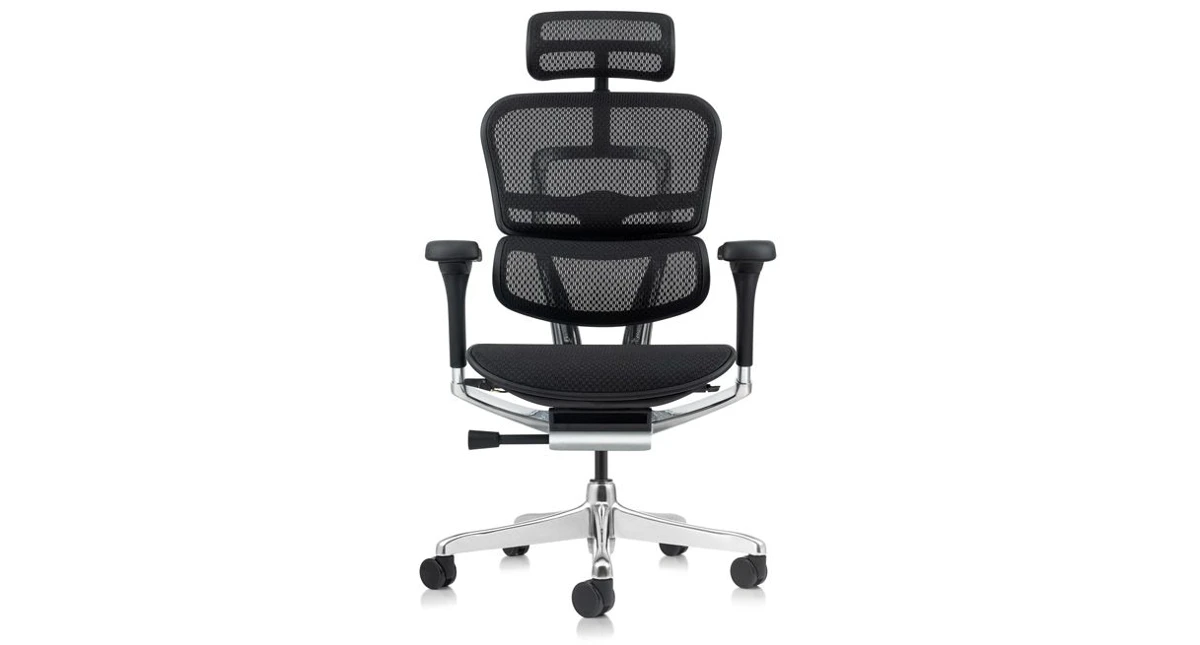
Once you understand the parts, the setup procedure is short. Do it in this order:
- Seat height. Sit back fully. Adjust the lever until your thighs are roughly parallel to the floor and your feet rest flat. Knees at about 90 degrees, hips equal to or slightly higher than knees.
- Seat depth. Slide the seat pan so there are two to three fingers between the seat edge and the back of your knees.
- Backrest height. Move the backrest so the lumbar bulge sits at your beltline.
- Lumbar tension. Increase until you feel firm contact across your lower back - not pressure that pushes you forward.
- Armrest height. Raise until your forearms rest on the pads without your shoulders lifting. Wrists should float straight over the keyboard, not angled up.
- Tilt tension. Loosen until you can recline with a relaxed lean. Most people set this too tight.
- Recline / lock. Work in a slight recline (about 100-110 degrees between thigh and torso). Use the tilt lock only for fixed tasks; movement is healthier than stillness.
- Desk and monitor. Once the chair is right, raise the desk or monitor to match - not the other way around.
Common problems and what they mean
- Chair sinks slowly under load - gas cylinder seal failure. Replace the cylinder.
- Lever feels loose or doesn't release the cylinder - bent linkage or worn valve pin. Often replaceable as a kit.
- Recline feels jerky or won't lock - debris in the tilt plate, or a worn lock pin. Vacuum and lubricate; if the lock pin is stripped, the plate needs replacing.
- Squeak when reclining - dry pivot bushings. A drop of silicone or PTFE-based lubricant on the metal-on-metal contact silences most squeaks. Do not lubricate the gas cylinder valve.
- Chair rolls away when you stand - wrong caster type for the floor. Swap to self-braking or higher-friction casters.
When to repair vs. replace
Cylinders, casters, armrest pads, and tilt levers are all standard replacement parts. If the seat foam has bottomed out, the backrest mesh has lost tension, or the tilt plate itself has cracked, the chair is at the end of its life. A good ergonomic task chair from a reputable brand will run 8-12 years with one or two cylinder swaps; a budget chair under $200 typically does not justify the cost of a $40 cylinder plus shipping.
Once you know what each lever does, the chair becomes adjustable in the way it was designed to be - not just an object to sit on, but a workstation component that can actually fit you.
Office chair mechanics FAQ
How does an office chair go up and down?
A pneumatic cylinder filled with compressed nitrogen sits between the seat and the base. Pulling the lever opens a valve at the top of the cylinder. With weight off the seat, the gas pressure pushes the piston (and the seat) upward; with weight on the seat, your body forces the piston down. Releasing the lever closes the valve and locks the seat at that height.
Why does my office chair keep sinking on its own?
The gas cylinder is losing pressure through a worn seal - usually at the top of the piston shaft. The cylinder is sealed and cannot be re-pressurised at home, so the fix is to replace the cylinder with a compatible unit rated for your weight class. It is a 15-minute job with a rubber mallet and a pipe wrench.
What is the difference between knee-tilt and synchro-tilt?
Knee-tilt pivots the whole seat-and-back assembly around a point near the front of the seat, so your feet stay flat as you recline. Synchro-tilt links the seat and backrest at roughly a 2:1 ratio: the backrest reclines about twice as far as the seat, which keeps your eyes nearer to the screen and reduces shear on your spine.
What are 4D armrests?
4D armrests adjust in four directions: height, width (in/out from the seat), depth (forward/back along the armrest pad), and pivot (rotation of the pad itself). They let you support your forearm without lifting your shoulder, which matters more for neck and trapezius load than most people realise.
Do I need an expensive chair, or will a cheap one do?
A reputable ergonomic task chair will last 8 to 12 years with one or two cylinder swaps, and almost every part is replaceable. Sub-$200 chairs usually have non-replaceable mechanisms and foam that bottoms out within two years. If you sit more than six hours a day, the cost-per-year math favours a better chair with replaceable parts.